Restaurant Mini Program / POS System

One QR code for ordering and payment across dine-in, delivery and takeout — with POS, kitchen display and chain management built in.

Overview

The Restaurant Mini Program / POS System is a dine-in plus online operating system for restaurants by Wenzhou Flamingo Network Technology Co., Ltd. QR ordering, store POS, kitchen production and member marketing live in one system: guests scan the table code to order, one QR code covers dine-in, delivery and takeout. The store side offers a smooth POS with table open/merge/split and aggregated payments; the kitchen receives orders in real time via printers or KDS screens. Chains can choose the HQ edition — menus, prices and campaigns managed centrally while each store runs independently with data rolling up automatically.
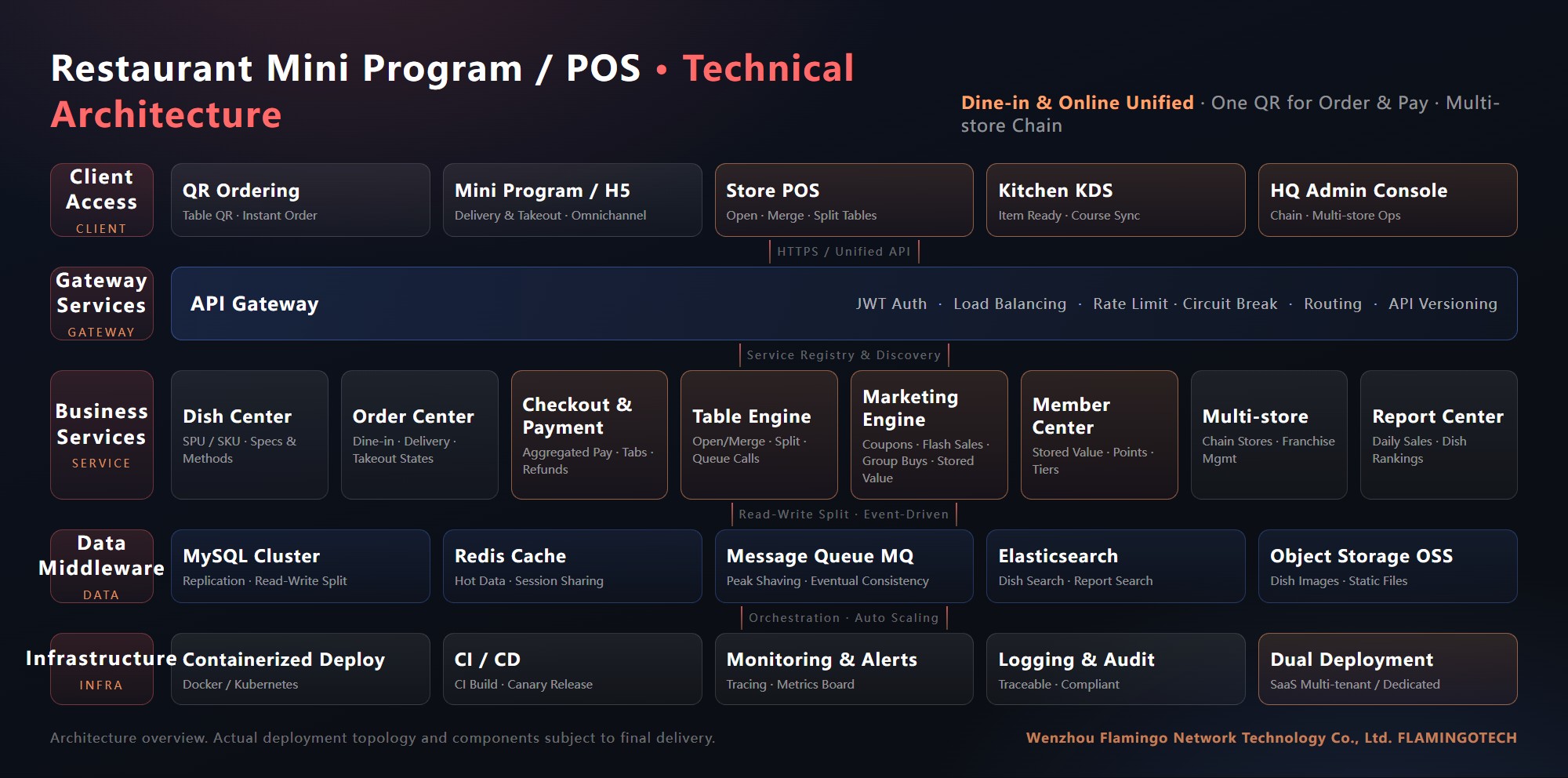
Flamingo Tech Restaurant system technical architecture: client access layer with QR ordering and KDS, API gateway, eight business microservices, data middleware and infrastructure layers

Core capabilities

  • QR ordering:One code per table; guests order instantly and add dishes in parallel; specs and cooking notes are captured before the kitchen sees them — dine-in, delivery and takeout all covered.
  • Store POS:A restaurant-grade checkout: open, merge and split tables, tabs, rounding and aggregated mixed payments in one step.
  • Kitchen coordination:Orders push to the kitchen in real time via receipt printers or KDS screens, organised by table and preparation, with progress visible to the front of house.
  • Membership & marketing:Stored value, points, coupons, flash sales and group buys self-configured, turning one-time guests into regulars.
  • Multi-store chain:HQ manages menus and prices centrally while stores operate independently; data rolls up automatically, with tiered direct/franchise management.
  • Report centre:Daily sales, dish rankings and time-slot analysis — the whole business on one screen.

Capability list

01QR ordering
02Store POS
03Kitchen KDS
04Table management
05Delivery & takeout
06Stored value & points
07Campaigns
08Multi-store chain
09Sales reports
10Dedicated deployment

Product showcase

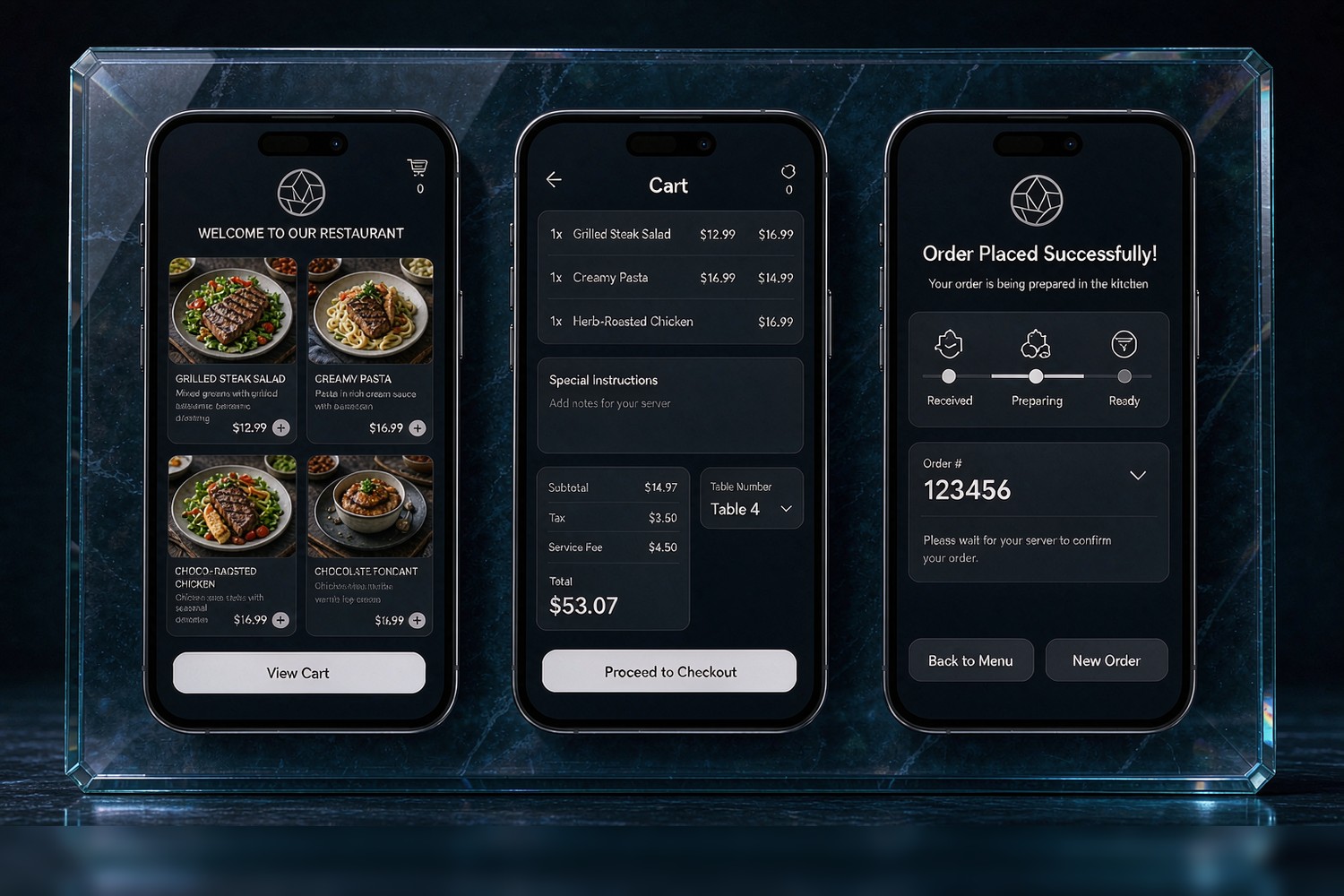
Flamingo Tech Restaurant mini program three screens: featured menu, table cart, order confirmation with table QR

Scan the table, order and pay — one code does it all

Guests scan the table code to order: featured dishes with photos, specs and cooking options as needed; multiple guests order in parallel on the same table with items merged in real time; a queue QR appears the moment the order lands, and reordering is another scan.

Orders reach the kitchen instantly — the front and back of house no longer shout.
01Newcomer gifts
02Top-up bonuses
03Coupons
04Flash sales
05Group buys
06Points mall
07Birthday treats
08Recharge rewards
09Referral rewards
10Check-in gifts
11Holiday campaigns
12More plays
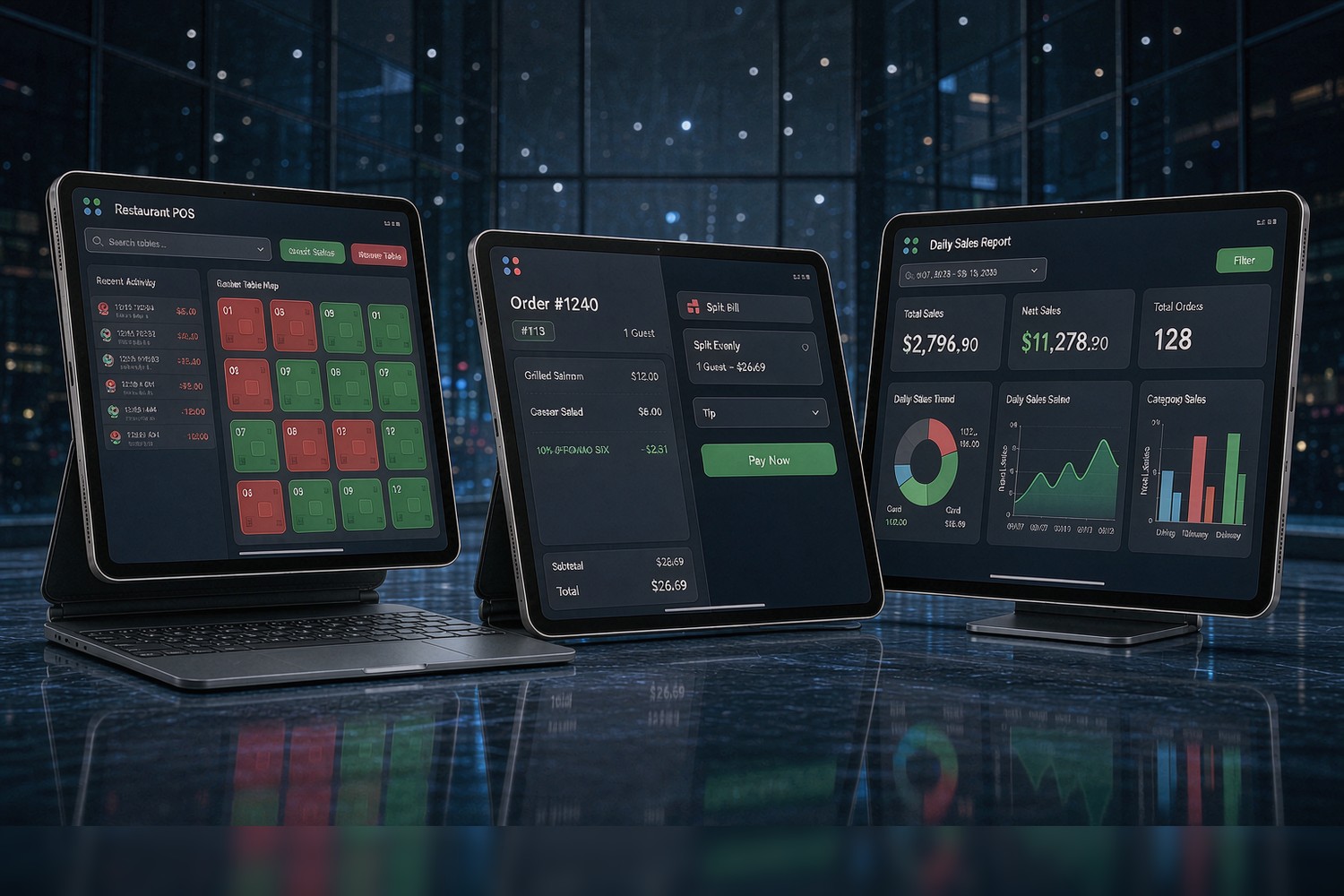
Flamingo Tech Restaurant POS three screens: checkout, table map, daily sales dashboard

POS + table map + daily report

Open, merge and split tables, keep tabs and settle mixed payments in one go; the table map shows dining, free and to-be-paid states at a glance; the daily report lines up revenue, orders and dish rankings before closing time.

01Newcomer gifts
02Top-up bonuses
03Coupons
04Flash sales
05Group buys
06Points mall
07Birthday treats
08Recharge rewards
09Referral rewards
10Check-in gifts
11Holiday campaigns
12More plays

Industries served

Covers mainstream dining formats — from a single store to a chain:
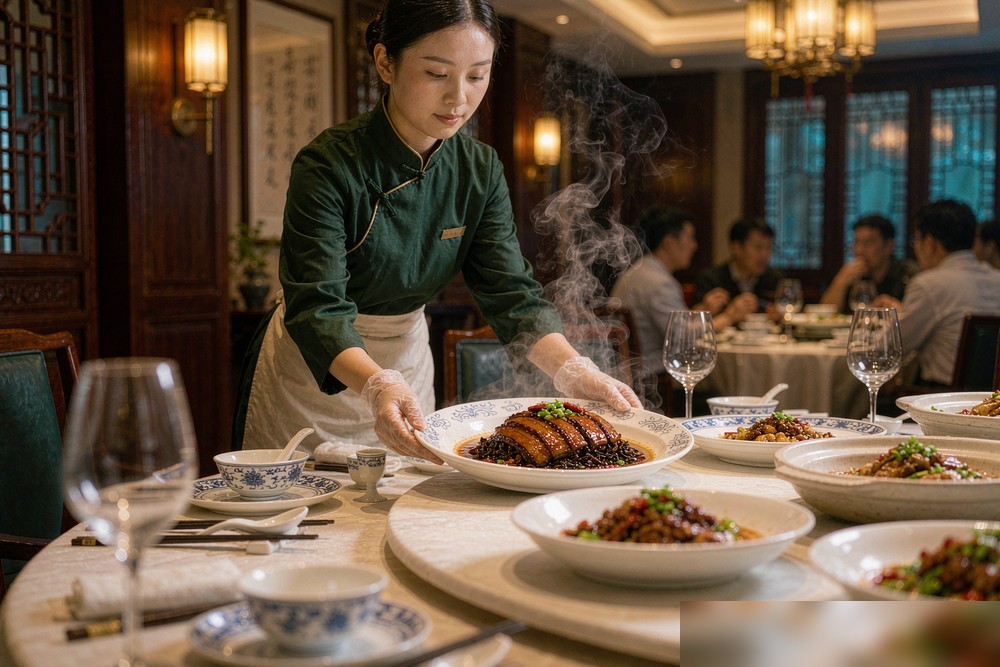
Flamingo Tech Restaurant Mini Program / POS — industries: Full-service dining
Full-service dining
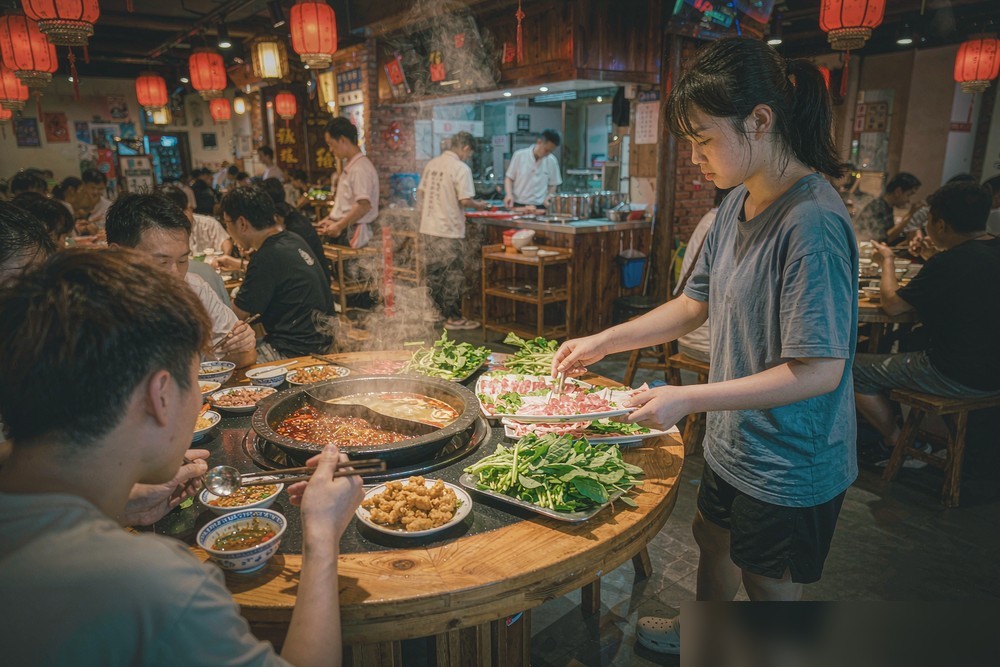
Flamingo Tech Restaurant Mini Program / POS — industries: Hotpot & BBQ
Hotpot & BBQ
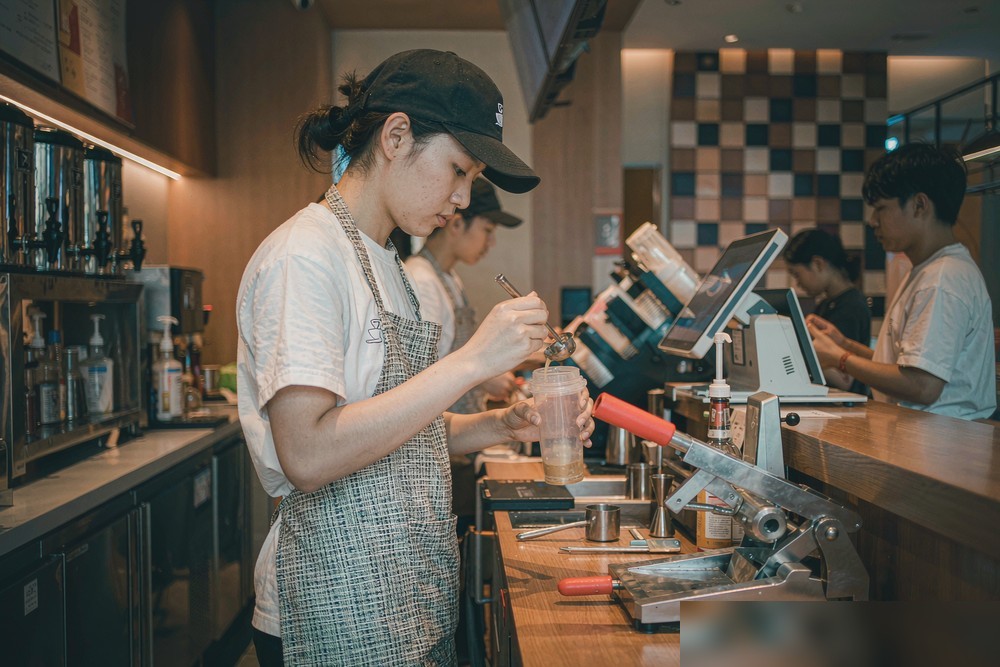
Flamingo Tech Restaurant Mini Program / POS — industries: Tea & coffee
Tea & coffee
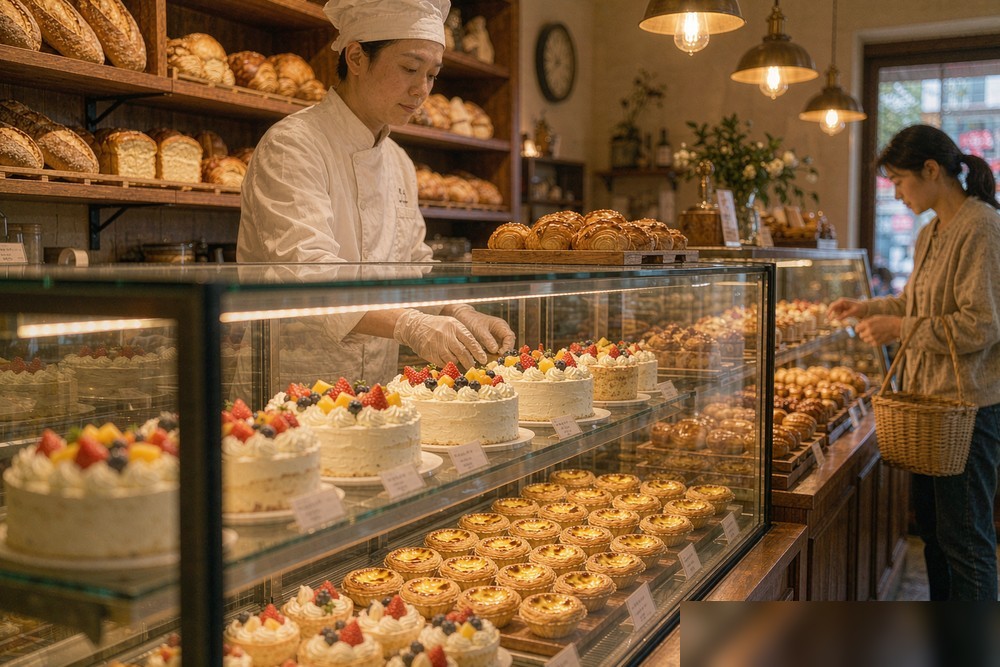
Flamingo Tech Restaurant Mini Program / POS — industries: Bakery & desserts
Bakery & desserts
Flamingo Tech Restaurant Mini Program / POS — industries: Snacks & deli
Snacks & deli
Flamingo Tech Restaurant Mini Program / POS — industries: Canteens & group meals
Canteens & group meals

Delivery specifications

  • Delivery formats:Customer apps (QR-ordering Mini Program / H5), store POS, kitchen KDS / receipt printing and HQ back office, configurable by edition.
  • Editions:Matched to store count and scale (single store / multi-format / chain HQ); the delivered feature list prevails.
  • Deployment & service:SaaS activation for a fast launch, one-to-one service support, help-centre documentation and after-sales maintenance.
  • Editions & pricing:Basic / Advanced / HQ annual editions — see pricing below.
Basic
¥6,999/year

For a single store: QR ordering, store POS and table management out of the box.

AdvancedPopular
¥12,999/year

For growing business: delivery and takeout, stored value and the full marketing toolkit unlocked.

HQ
¥36,999/year

For chains: central menus and pricing, independent store operations, automatic report roll-up.

FAQ

I am not from the restaurant industry and not technical — can I still run this?
Yes. The system ships as a ready-made SaaS: after activation, the back office and POS are visual and guided — dish listing, table setup, pricing and payment activation all have wizards, with documentation and one-to-one guidance. Single-store owners usually get the basics running within half a day: photograph dishes, set tables with QR codes, connect a printer, and guests can order that evening. Your effort goes into dish data and opening campaigns, for which templates are provided. Multi-store or dedicated deployment can be added later without a rebuild.
Basic vs Advanced vs HQ — what is the difference, and can I upgrade?
Basic (¥6,999/yr) suits a single store with QR ordering, POS, tables and kitchen display complete. Advanced (¥12,999/yr) unlocks delivery/takeout, stored value and campaigns (coupons, flash sales, group buys) for growth. HQ (¥36,999/yr) adds chain management: central menus and pricing, per-store operations and consolidated reports. All editions share the same core and can upgrade as you grow; upgrade rules are confirmed before signing. Choose by current scale to avoid paying for unused features.
Will guests find QR ordering annoying? What about older guests?
The flow is mature: guests scan the table code with WeChat, browse photos, adjust specs and quantities and confirm — no app download, one code per table, instant ordering. Several guests can scan the same code and add dishes that merge into one order. For guests who prefer human service, the POS keeps the traditional flow: staff order at the counter exactly as on the phone, and both flows feed the same kitchen — no double books. Most stores run QR for dine-in with counter as the safety net; one explanation is all it takes.
Which payment methods does the POS support? When does money arrive?
The POS aggregates mainstream methods such as WeChat Pay and Alipay while keeping cash recording; one order can mix methods. Tabs, no-change and refunds all have entries. Settlement follows the payment channel's normal flow: funds enter your merchant account and arrive per the channel's cycle (usually T+1); timing and fees follow WeChat Pay/Alipay policy. The merchant account is applied for with your business licence — we help prepare documents during implementation. Special settlement needs (multi-store splits) should be described before signing.
How does the kitchen know what the front ordered? What about mistakes?
Kitchen coordination is built in: once an order is submitted (QR or counter), the kitchen receives production slips in real time via receipt printers or a KDS screen; dishes display by table, preparation and rush status, checked off one by one as they are ready. Specs and notes ("mild", "no scallions", "medium-rare") are forced selections or notes at ordering, reducing verbal errors. Cancellations, changes and rushes are logged with operator, time and reason for clean end-of-day reconciliation. We advise on printer/KDS models during implementation — ordinary thermal printers work; no special hardware.
I have stores on Meituan and Ele.me — can those orders come in?
The system provides its own delivery and takeout: guests order via your mini program/H5, orders land directly in your system with no third-party commission, and customer data stays yours. Integration with Meituan/Ele.me depends on those platforms' open-API policies and is assessed case by case — confirm the current supported scope during requirements discussion; the delivered integration capability prevails. Many clients run dine-in and private-domain orders on this system while third-party platforms keep running as before, with revenue reported separately.
I run several stores — how does the HQ edition manage them?
The HQ edition is designed for chains: a central back office manages the dish library, pricing and campaigns — one configuration reaches all stores, with per-store differences possible (e.g. selected dishes only in some stores). Each store keeps an independent POS and its own data; revenue, orders and dish sales are reported per store and rolled up automatically. Permissions support HQ admins versus store managers, with managers seeing only their store. Membership can be chain-wide or per-store; confirm cross-store stored-value rules with finance before activation. For mixed direct/franchise structures, share your org chart during discussion.
Are stored value and membership campaigns compliant? Any risk?
Stored value, points and coupons are mature, common tools; the member centre executes rules as configured. Compliance notes: single-purpose prepaid cards may require filing or fund-custody arrangements in some regions — check local commerce authorities before launching stored value, and the system keeps complete records to support your compliance. Legality of campaign claims and price display follows advertising law and platform rules. We help set rules correctly during onboarding; local regulatory requirements and the delivered version prevail.
How long from signing to a working store, and what do I need?
Ready-made SaaS activates quickly — a single store usually goes live within days; the schedule follows the confirmed plan. Prepare four things: dish data (names, prices, photos, specs — a spreadsheet imports fastest), table info (numbers and rough layout; QR codes print from the system), hardware (a POS device or Android tablet, thermal receipt printers as needed — ordinary models suffice), and decisions (merchant account documents, opening campaign). Well-prepared clients typically open within a week. Trial-run a few orders end to end before opening day.
The printer breaks or the system fails — who fixes it, how fast?
Delivery includes one-to-one support, documentation and after-sales maintenance. In-hours issues (ordering glitches, POS faults, printing failures) go through WeChat Work chat or office@flamingotech.cc, usually answered within one business day; the help centre's troubleshooting guide covers common emergencies. The system keeps iterating — WeChat Pay and mini-program rule changes are tracked and flagged — and your feature requests can enter the roadmap. Put service scope and response times in writing when signing, and prepare peak-hour contingencies (backup printer, offline checkout) with our consultants during implementation.

Our Partners

Deep alignment with mainstream platform ecosystems for compliant, reliable digital services. Partnership status is verifiable via each platform's official channels.


Volcengine
Alibaba Cloud
Tencent Cloud
DeepSeek
MiniMax
Tencent
Ecosystem Partners
Xiaohongshu
Ant Group Digital Technology
Qianwen Office
Coze
Huawei Cloud
Qiniu Cloud
Yingdao RPA
AiPPT.com
WorkBuddy
Feishu / Lark